Manufacturers who treat a QAD Adaptive migration like a simple software swap may run into delays or gaps that only surface after cutover. When moving to QAD Adaptive, manufacturers should plan scope and production continuity together, and treat the migration as a separate project with a dedicated cutover plan. Once QAD Adaptive is live, plan for updates scheduled during maintenance windows that QAD communicates in advance. An effective planning checklist includes:
Assessing your environment and identifying who defines scope.
Choosing which records move and how users access retained history.
Planning configuration, integrations, access controls and testing.
Accounting for production constraints and industry requirements.
Rehearsing cutover and reconciling results before authorizing switchover.
Establishing partner responsibilities and support after go-live.
Assess Your Current QAD Environment
QAD Adaptive migration starts with assessing how your enterprise resource planning (ERP) environment currently supports production before you define the scope of work:
Version: Record the platform version along with its database and patch levels, then confirm version eligibility for a QAD Adaptive upgrade.
Customizations: Inventory the programs and reports that extend your configuration, noting each one's purpose and who maintains the code.
Integrations: Record data direction and transaction volumes for every connection, and identify who maintains any QAD extensions in use for that interface.
Infrastructure: Separate hardware you can retire from equipment your team must keep supporting as part of QAD Adaptive cloud migration.
Processes: Trace order processing through shipment to find where spreadsheets bridge gaps between systems.
Ownership: Identify the process owners who can authorize changes within the migration scope.
Under Software as a Service (SaaS), QAD manages the hosted application, data center infrastructure, backups and version updates according to its cloud service terms. Your team retains responsibility for business processes, user access, local infrastructure and connectivity to QAD's environment, and must cooperate with updates and test new versions against daily operations.
Top 5 Migration Workstreams to Plan for
Coordinate data and configuration work alongside interface changes during your QAD Adaptive ERP migration. Throughout the QAD Adaptive implementation process, set acceptance criteria for each workstream before work begins.
1. Inventory, Cleanse, Map and Load Data
Choose the transfer approach and scope for your QAD ERP data migration. Conversion preserves data, structure and history for applicable QAD upgrades, and selective migration — available through QAD's functional upgrade services — creates a new database using only the records you choose to transfer.
If you plan to migrate from QAD Enterprise to QAD Adaptive, confirm conversion eligibility for your version and establish access to any history kept outside the new database. Inventory items, bills of materials, routines, and customer and supplier records, then resolve duplicates before mapping source fields to their QAD destinations. Sequence the load so item records enter before the orders referencing them, and have business owners approve mappings within their area.
2. Plan Configuration and Customization Changes
Decide whether to retire, replace through configuration or rebuild each customization as an extension. For reports, compare configuration options and QAD extension capabilities before committing to custom development.
Record your replacement design before confirming development requirements for your hosting arrangement, and flag any database changes before authorizing work that affects structure.
3. Adapt EDI and Connected Systems
Adapt, replace or retire each interface based on the transactions it supports. Capture trading partner formats and mapping requirements for electronic data interchange (EDI) connections, then define acceptance criteria for the messages each interface must exchange after migration.
Map records exchanged through Agile and Arena for product life cycle management (PLM) connections, and map customer records through Salesforce customer relationship management (CRM) integrations. Manufacturing execution system (MES) connections should trace production transactions back to inventory. Confirm middleware and interface requirements permitted under your hosting agreement.
4. Plan Security and Access
Assign access by job responsibility and define controls for conflicting duties, such as separating supplier creation from payment approval.
Restrict migration extracts to each participant's project responsibilities, and agree on how the team will protect those extracts during transfer. Before provisioning access, remove accounts that belonged to employees who have left. From there, agree on security testing procedures with QAD as part of your hosting arrangement.
5. Test Transactions, Integrations and Reports
Users should test the migrated data against the acceptance criteria using scenarios that reflect their actual work, such as:
Receive materials and issue them to production.
Ship orders and generate their associated invoices.
Verify that permissions let each role perform its authorized tasks.
Exchange partner messages and retain evidence against interface acceptance criteria.
Compare report outputs with records held in the source system.
Test transaction volumes that reflect production peaks, with QAD's consent for stress testing beyond standard practices.
Process owners should approve results for their scenarios before authorizing cutover.
Plan for Manufacturing and Regulated Operations
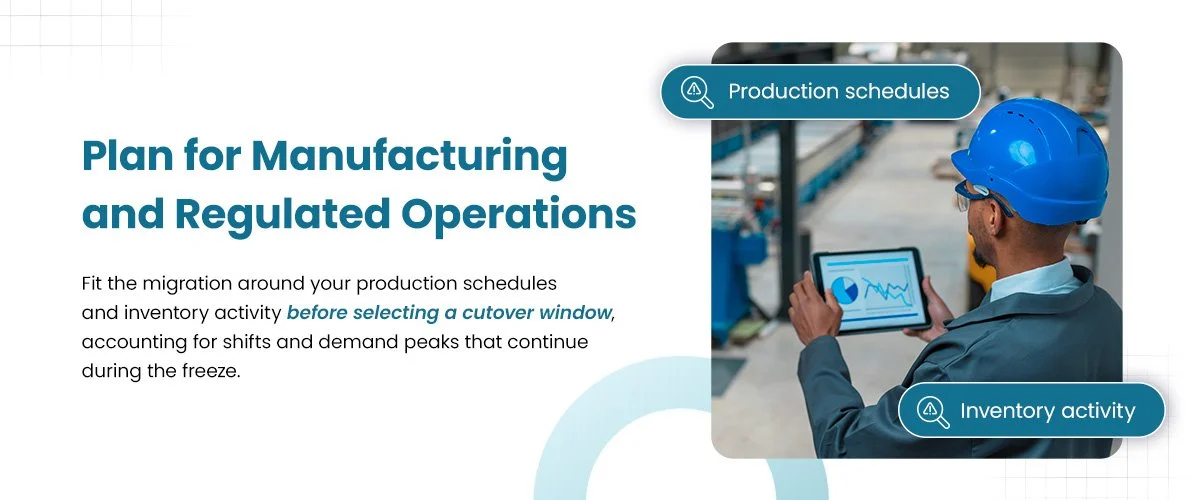
Fit the migration around your production schedules and inventory activity before selecting a cutover window, accounting for shifts and demand peaks that continue during the freeze. Inventory planning means establishing when receipts and transfers stop in the source system, defining how in-flight transactions reach the required state, and arranging counts by location and lot where your operation tracks lots.
Automotive workflows require confirming original equipment manufacturer (OEM) portal deadlines and shipping notice windows, and reviewing OEM customer-specific requirements under the International Automotive Task Force (IATF) 16949 standard where applicable.
Regulated processes call for establishing the qualification evidence your environment requires before deployment. Medical device manufacturers should follow risk-based software assurance guidance alongside quality leadership to document:
Intended use and the risks tied to each process.
Qualification activities and supporting evidence for the functions you use.
A validation impact assessment before any deployment update affecting those functions.
Prepare for Cutover and Early-Life Support
Prepare a cutover runbook with rehearsal timings and approval criteria for deployment. During rehearsal, participants should execute their assigned sequence to confirm that the work fits your freeze window.
File-based interfaces should follow this switching sequence as part of your QAD Adaptive migration checklist:
Stop the source feed at the cutoff agreed with your trading partners.
Reconcile the final file against transactions recorded in the source system.
Start the target feed after readiness approval within your operational timing limits.
Validate the first file through the system responsible for receiving it.
Finance and operations should approve balances and inventory against migration scope as well as reconcile orders with exceptions flagged for approval. Before cutover, name the go/no-go decision-maker, define recovery procedures including dual running where supported, and notify users and trading partners about the freeze.
Train your users on changed procedures and how to request support after go-live, and assign intake and escalation coverage through the first month-end close. Before future updates, it's important to assign regression-test execution and approval using your validation impact assessment to set evidence requirements for regulated processes.
Questions to Ask Your Migration Partner
Evaluate a QAD ERP migration partner through experience and accountability for delivery. Ask the following questions:
Which manufacturers like us have you moved to Adaptive, and who will work on our project?
Which activities does the subscription cover, and which require a services engagement?
Which testing methods will you use, and what evidence will we receive?
Which interfaces have you handled, and how will ours operate in the target environment?
What does support cover after go-live, and who owns escalation?
Define Your Migration Scope With Strategic Information Group
Strategic can assess your current QAD environment before you commit to a migration timeline. As a QAD Platinum Partner, Strategic offers senior-level onshore consultants, more than 30 years of manufacturing experience and a change management approach that addresses the move from planning through deployment.
After go-live, SIGSERV TotalCare for QAD brings SIGSERV APP, SIGSERV TECH and SIGSERV EDI together under one service agreement that defines your coverage and escalation path. Contact Strategic's team to discuss your current environment, goals, production requirements and integrations.